Every return reviewed. Nothing slips through.
Whatever software you prepare in, every return gets reviewed and signed off with the right checklist for its form. You always know whose turn it is, and you go home at a decent hour in April.
0 days until April 15. Where will your returns be?
Busy season shouldn’t run on memory.
Its status lives in email, sticky notes, and one person’s head.
A missing document hides until the night before the deadline.
Every return waits on you, and you never know what slipped.
A month on the unpaid tax for a late return, up to 25%. A return that slips through the cracks costs your client money and costs you their trust. It should never depend on who remembered.
We’ve sat in your chair.
The checklists come from two Enrolled Agents who review returns every season and teach other tax pros how to run a better practice.

Jessica Smith, EA
Co-founderAn Enrolled Agent since 2014 and the founder of Tax Savvy Jessica and The 100K EA. Jessica teaches tax pros across the country how to build profitable, calmer firms, and co-founded Workflows for Tax-Pros.
- Enrolled Agent
- NTPI Fellow
- CPE instructor

David Woods, EA, USTCP
Co-founderThree decades preparing and reviewing returns in San Diego, and admitted to practice before the U.S. Tax Court. Every question in the checklists is David’s, from years of catching what others missed.
- Enrolled Agent
- U.S. Tax Court practitioner
- Tax technical editor

Richard Roppa-Roberts
Designer and architectRichard doesn’t prepare returns. Since 2009, through Quasar Cowboy, he’s worked beside the people who do: coaching firm owners, running Roundtable Labs and The Retreat Network, and serving on the Executive Board of Tax Retreat. He writes for CPA Practice Advisor, Insightful Accountant, and other industry publications, was named Intuit Partner of the Year and co-hosted The QBO Show. He has judged CPA Practice Advisor’s Technology Innovation Awards and Financial Cents’ Small & Mighty Awards, and Accounting Today named him a “One to Watch” alongside its 100 Most Influential People in Accounting.
- Founder, Roundtable Labs
- Tax Retreat Executive Board
- Accounting Today “One to Watch”
Three steps to a calmer season.
Start a review
Pick the client and a checklist. Questions branch on your answers, and last year’s come along.
Prepare and hand off
The preparer answers, flags open items, and sends it to review. Everyone sees whose turn it is.
Review and sign off
Clear the open items, sign off, and keep a workpaper with every answer, note, and who did what.
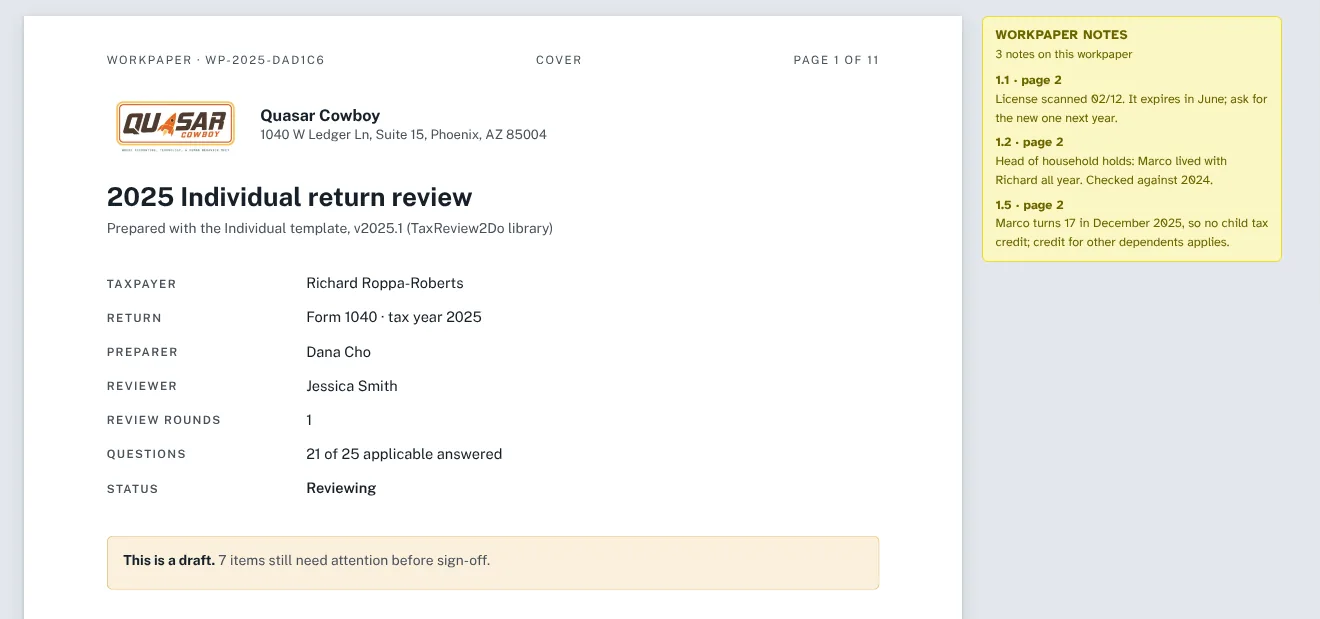
Your reasoning, right on the workpaper.
Click any question on the workpaper and leave a note: why officer pay looks reasonable, what to ask for next year. Your reviewer sees the thinking behind every answer, and the notes print with the workpaper for your file.
- Click any question on the page to add a note
- Or leave a general note anywhere on the page
- Print with notes, so the firm’s file keeps the reasoning
- Kept after sign-off, with who wrote each one and when
The things your team will brag about.
Last year’s answer, beside every question.
Open a question and see what you answered last year, plus the whole conversation about it. “Carryforward Freight sends K-1s late” is right there when you need it.
Ask your own research tool. Safely.
One click turns a Research open item into a general tax question, with client names, EINs, and emails taken out, then opens the tool you already pay for.
Five free minutes? Grab some quick wins.
Quick win hands you the next small open item, ready to clear. Say what happened, resolve it, and get a little confetti for your trouble. Then it hands you the next one.
Change a stack of reviews in one go.
Check the reviews you want, then change the preparer or reviewer, mark extensions filed, or download every workpaper as one .zip. Reviews someone is editing are skipped, and each change goes in the audit trail. Open items work the same way: resolve or reassign several at once.
Quick questions stay in the app.
One-on-one and group messages with replies right under what they answer, @mentions, read receipts, and auto-replies when someone’s out. Broadcasts reach the whole firm in a bar nobody can miss.
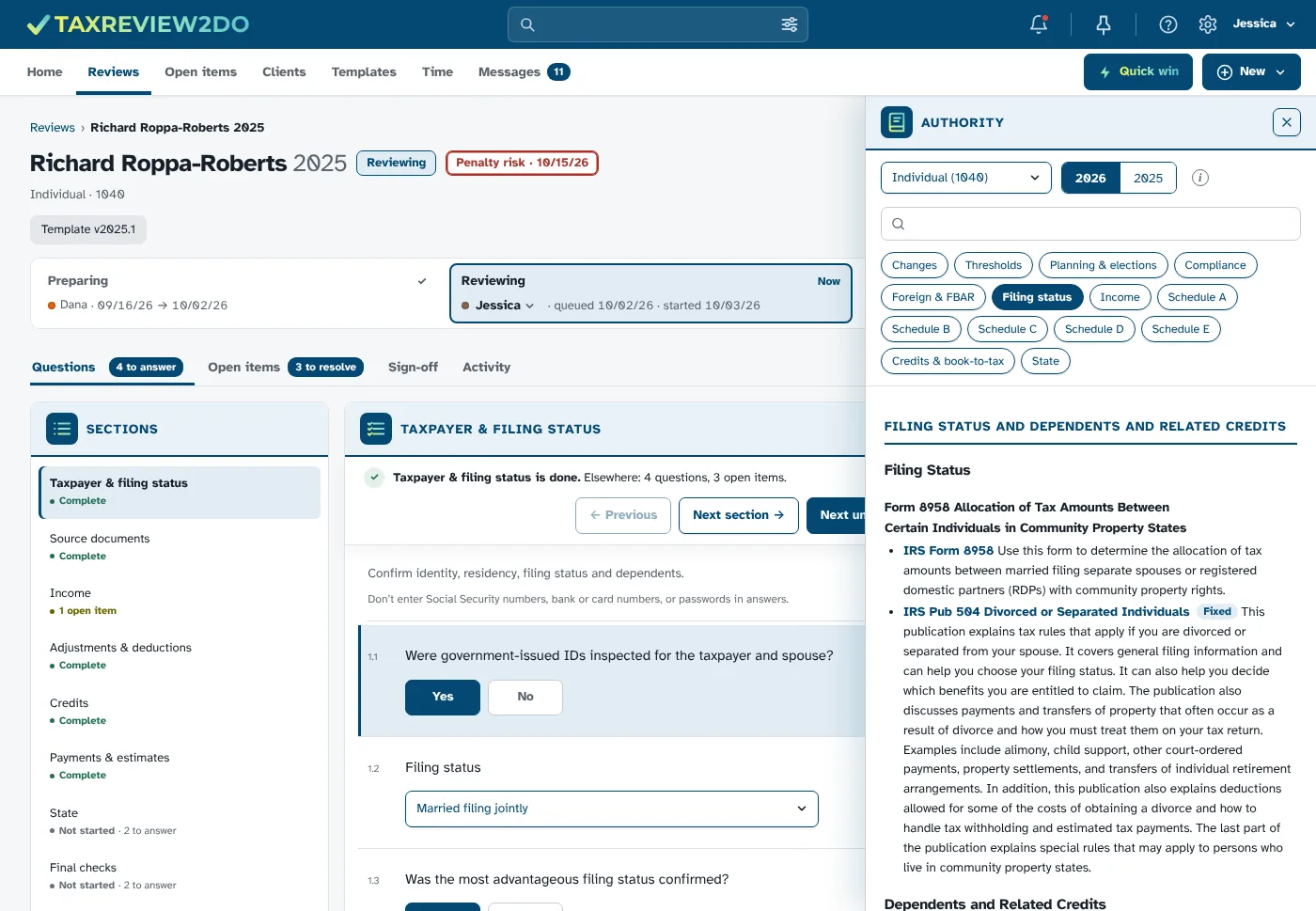
Tax law at your fingertips.
A Tax law panel slides in beside any review, opened on that return’s kind and year. Search it or let it follow the section you’re answering. Every item links to its source.
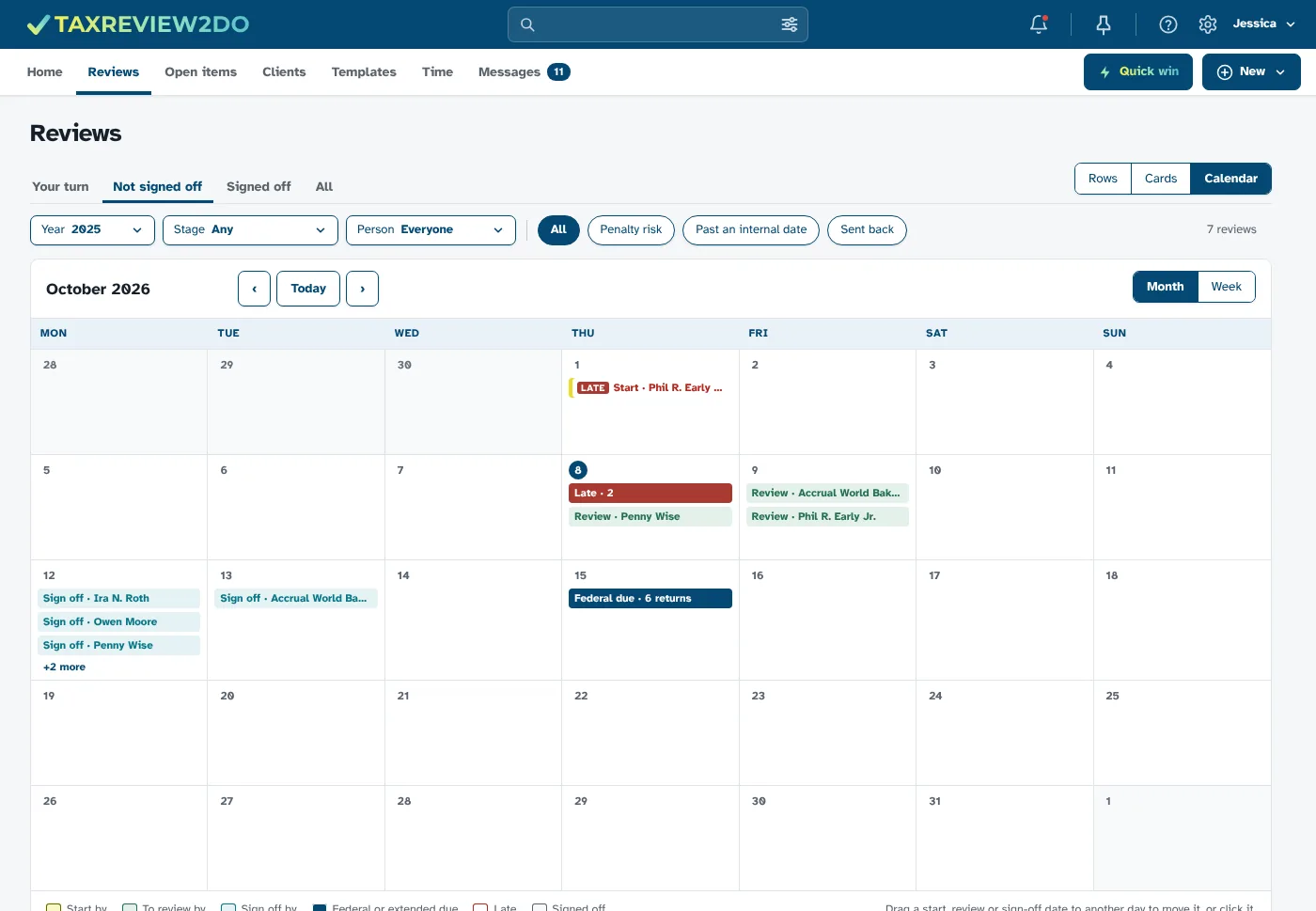
Every deadline on a calendar.
See start, review, and sign-off dates by month or by person. Drag a date to move it. Add the feed to Google, Outlook, or Apple Calendar so it follows you.
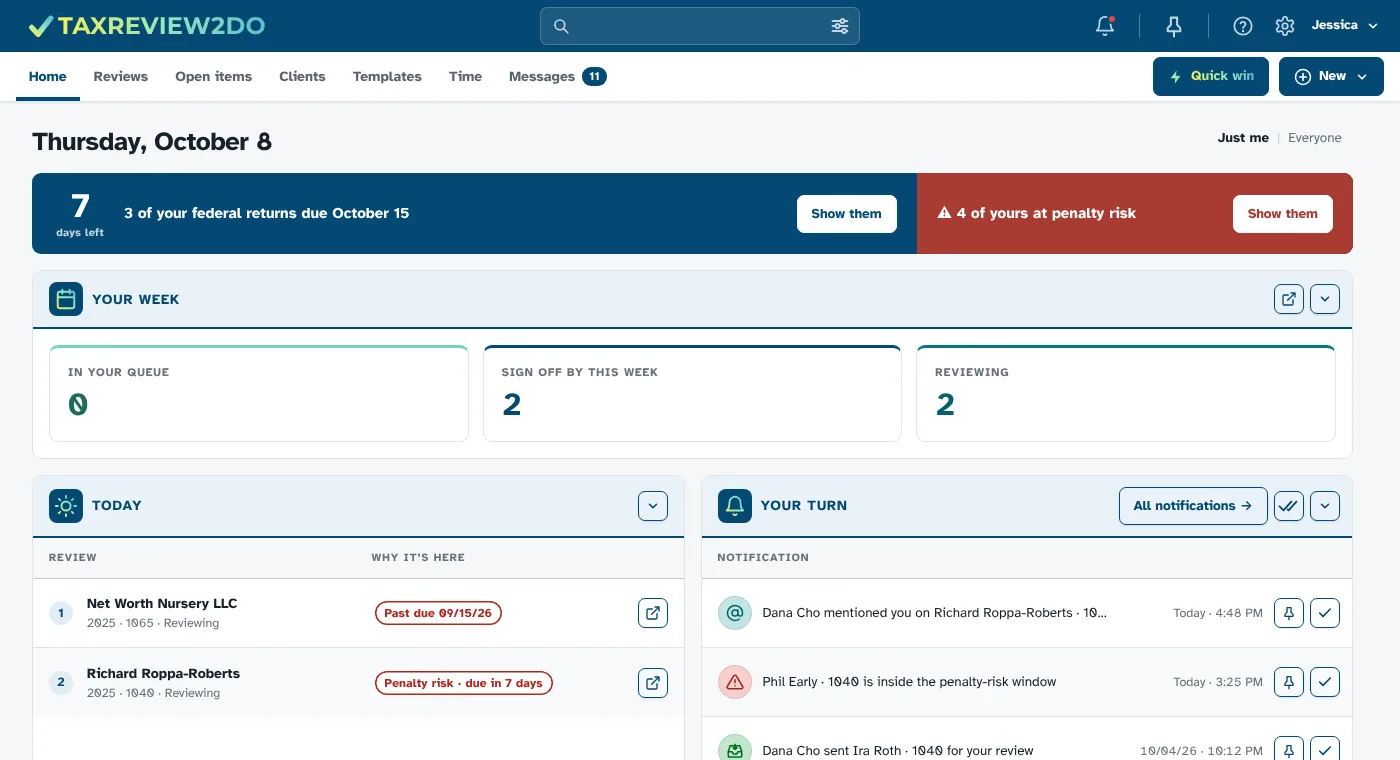
Your work, your day, or the firm’s.
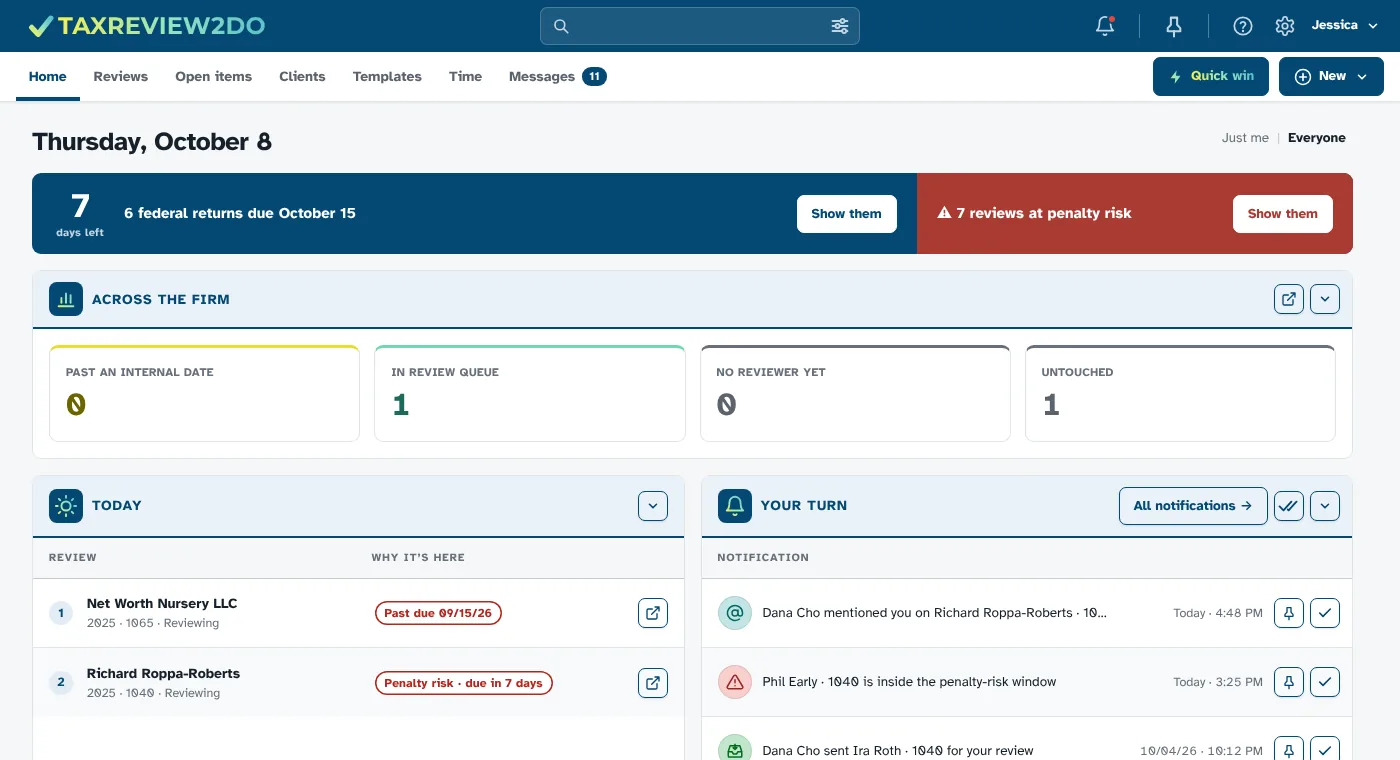
Home opens on what’s yours: what’s due, what’s urgent today, and whose turn it is. Owners and managers flip one switch to see the whole firm.
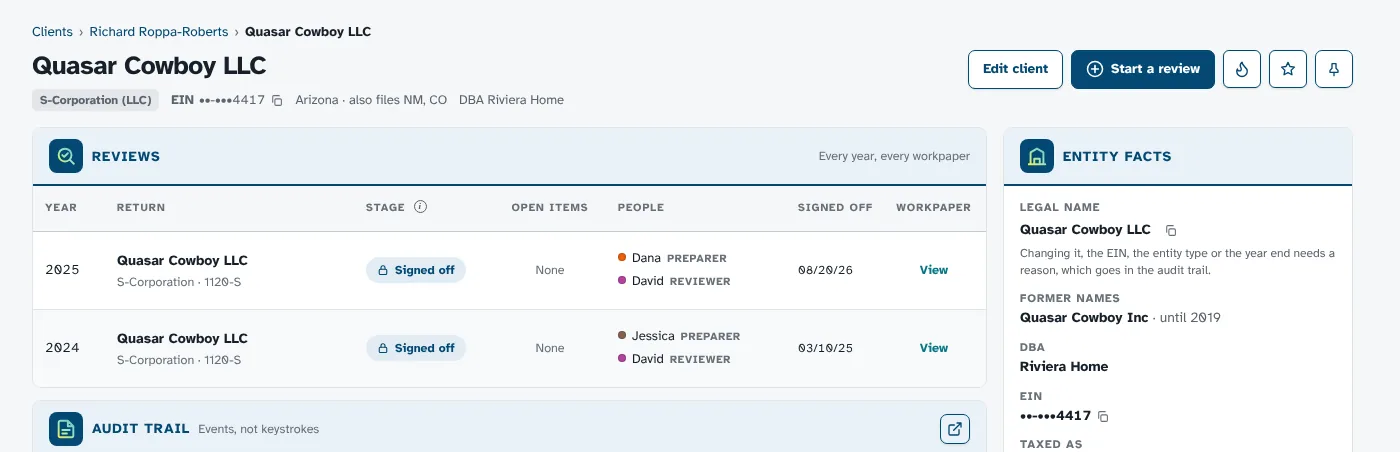
Click. Copied.
EINs stay masked on screen, and one click copies the whole number. Names, emails, and addresses have copy buttons too. Accountants copy things all day, so we made it one click.
Built for how tax pros really work.
Time in a review and in your tax software counts itself. No start button.
It unlocks only once every question is answered and every open item resolved.
Drop in TaxDome’s exports and your clients come over linked. Nothing merges itself.
Install it on Mac or Windows, plus its own Messages app. Or use your browser.
Every change that matters, with who made it, when, and why when it counts.
Returns near their due date turn red on Home and in lists before they’re late.
An office admin or a tax manager runs the day. Set it up the way you work.
Mark the clients who come first. Their returns rise to the top of every list.
Check several reviews to reassign them, mark extensions filed, or download every workpaper as one .zip. Open items work the same way.
Start next year’s review from this year’s with one click. The client and people come along.
After sign-off, check off the 8879 and the e-file as they happen. Anyone can see where each return stands.
An authenticator app or an emailed code, as often as the firm decides.
Your firm’s rules. Everyone’s own comfort.
For the firm
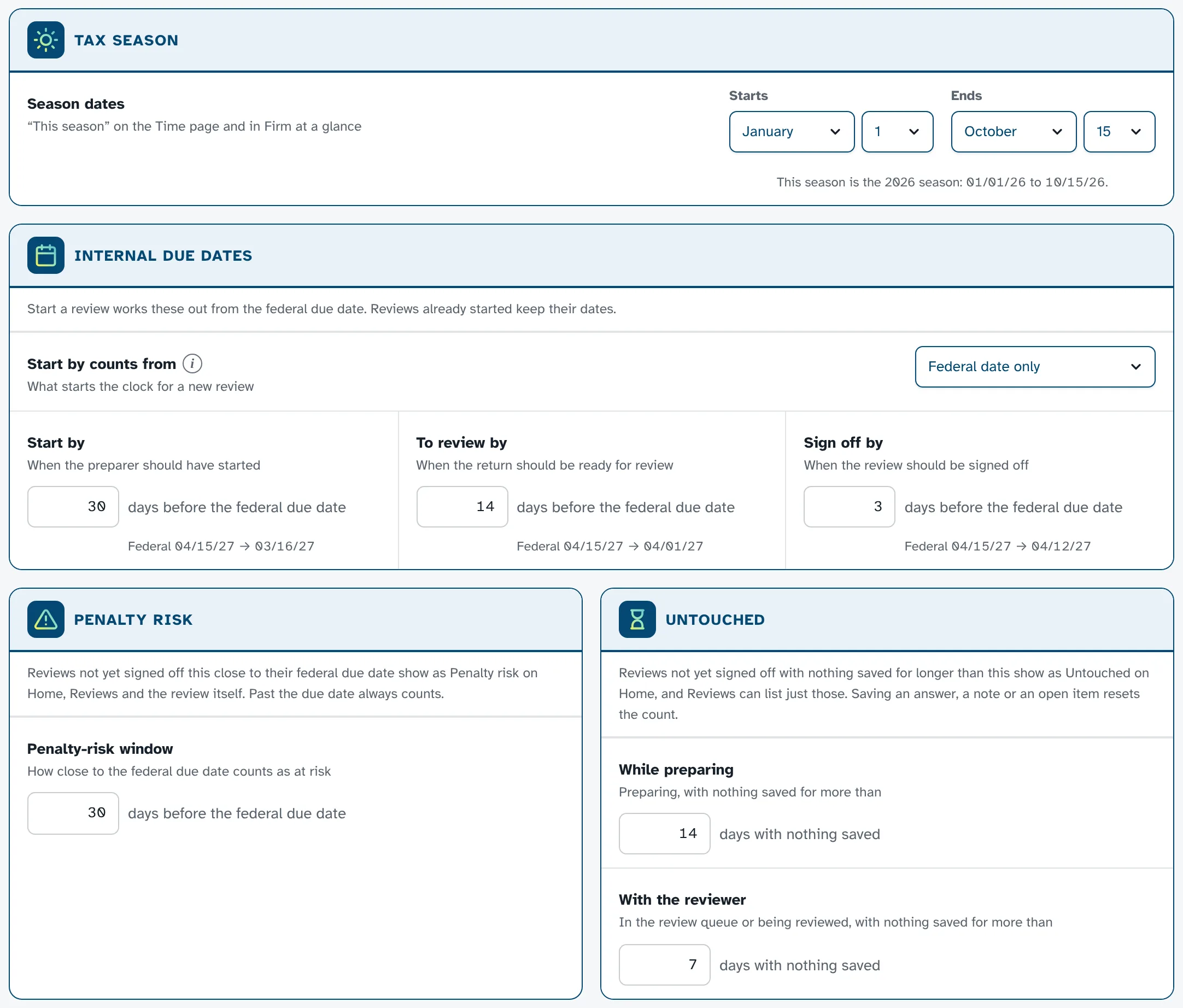
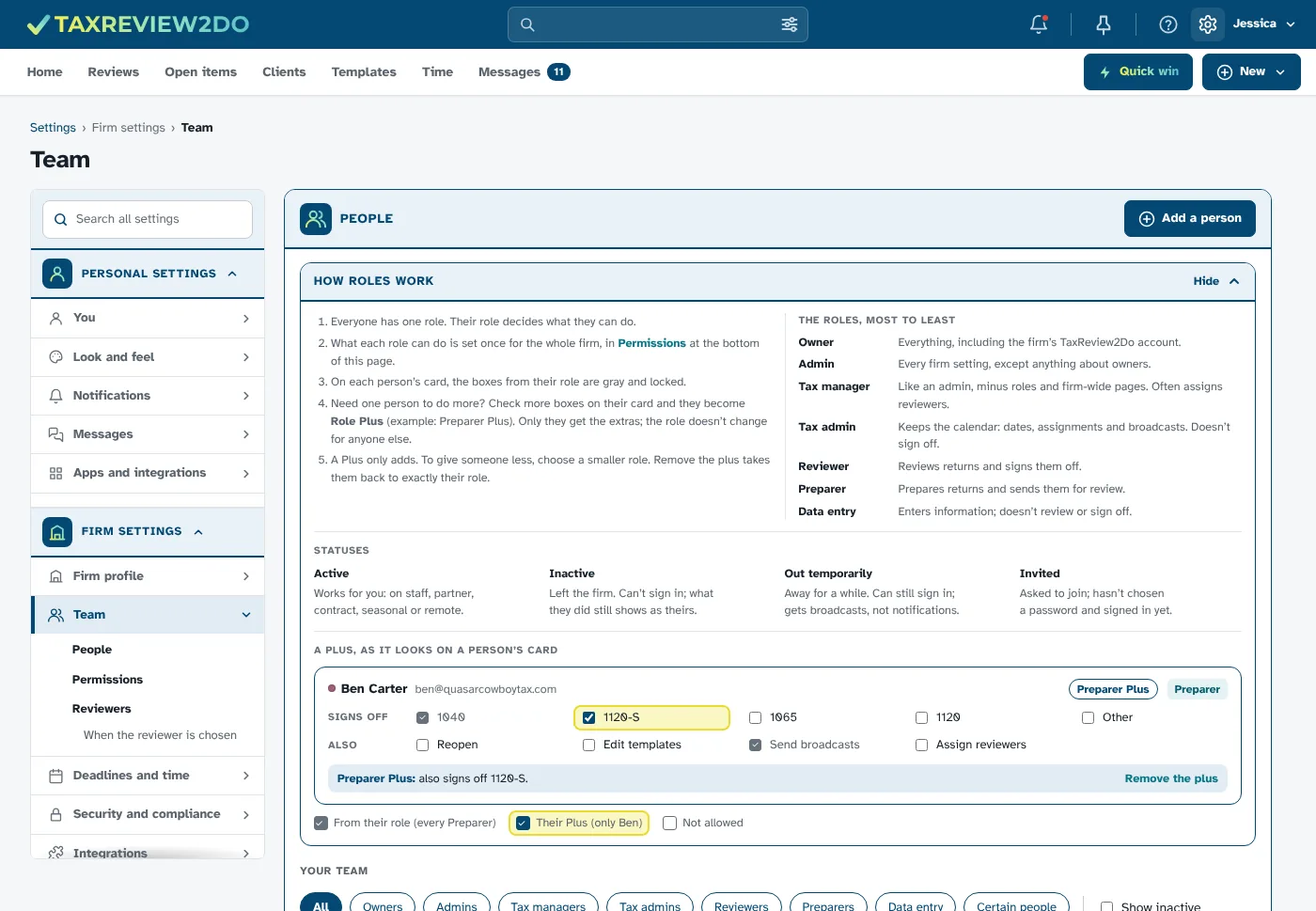
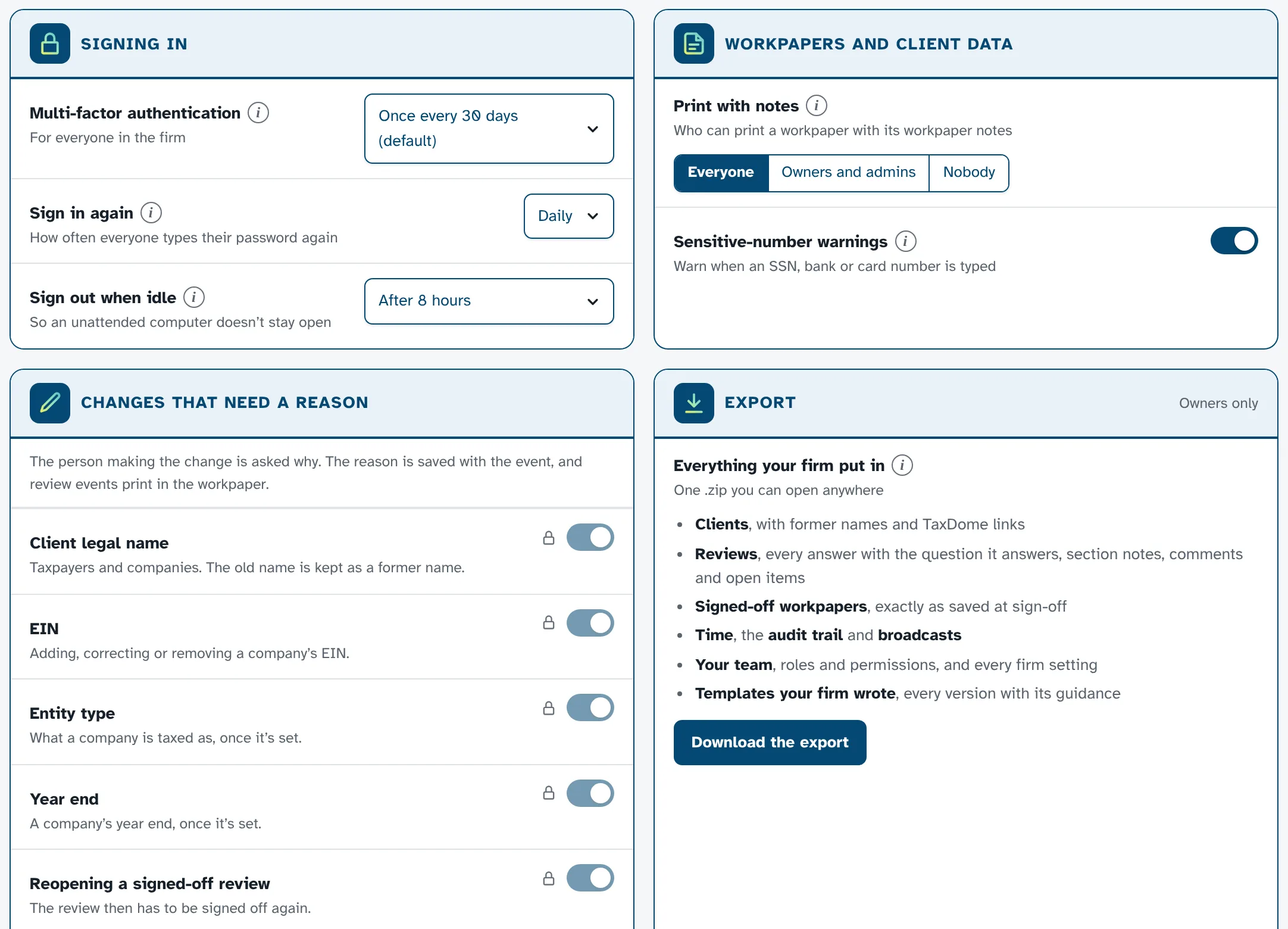
Owners set it once in Firm settings, and it holds for everyone.
- Season dates, internal due dates, and the penalty window
- Roles, who signs off which forms, and who assigns reviewers
- Changes that need a reason, like a client’s legal name or EIN
- Your logo on every workpaper, your time zone on every record
For each person
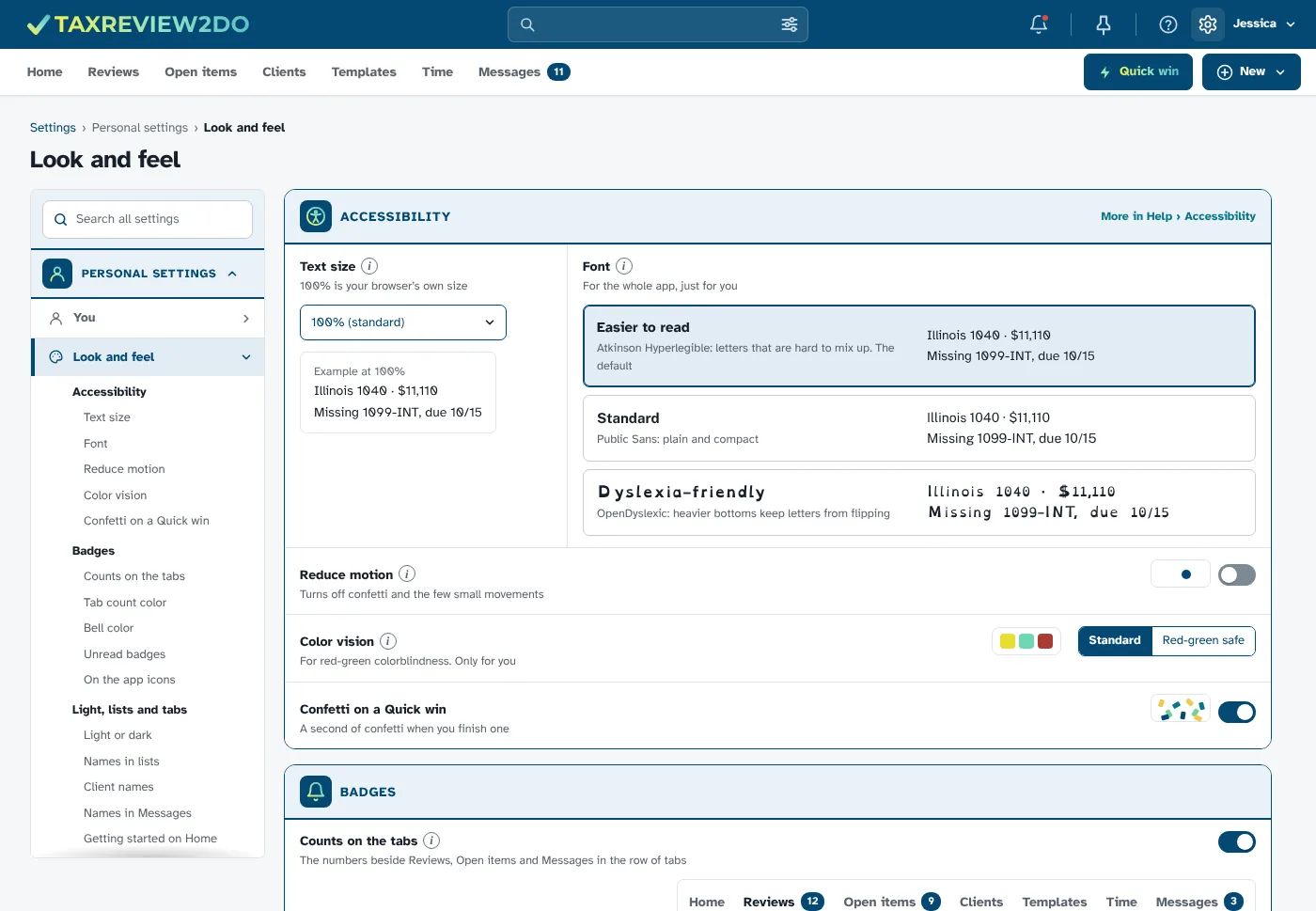
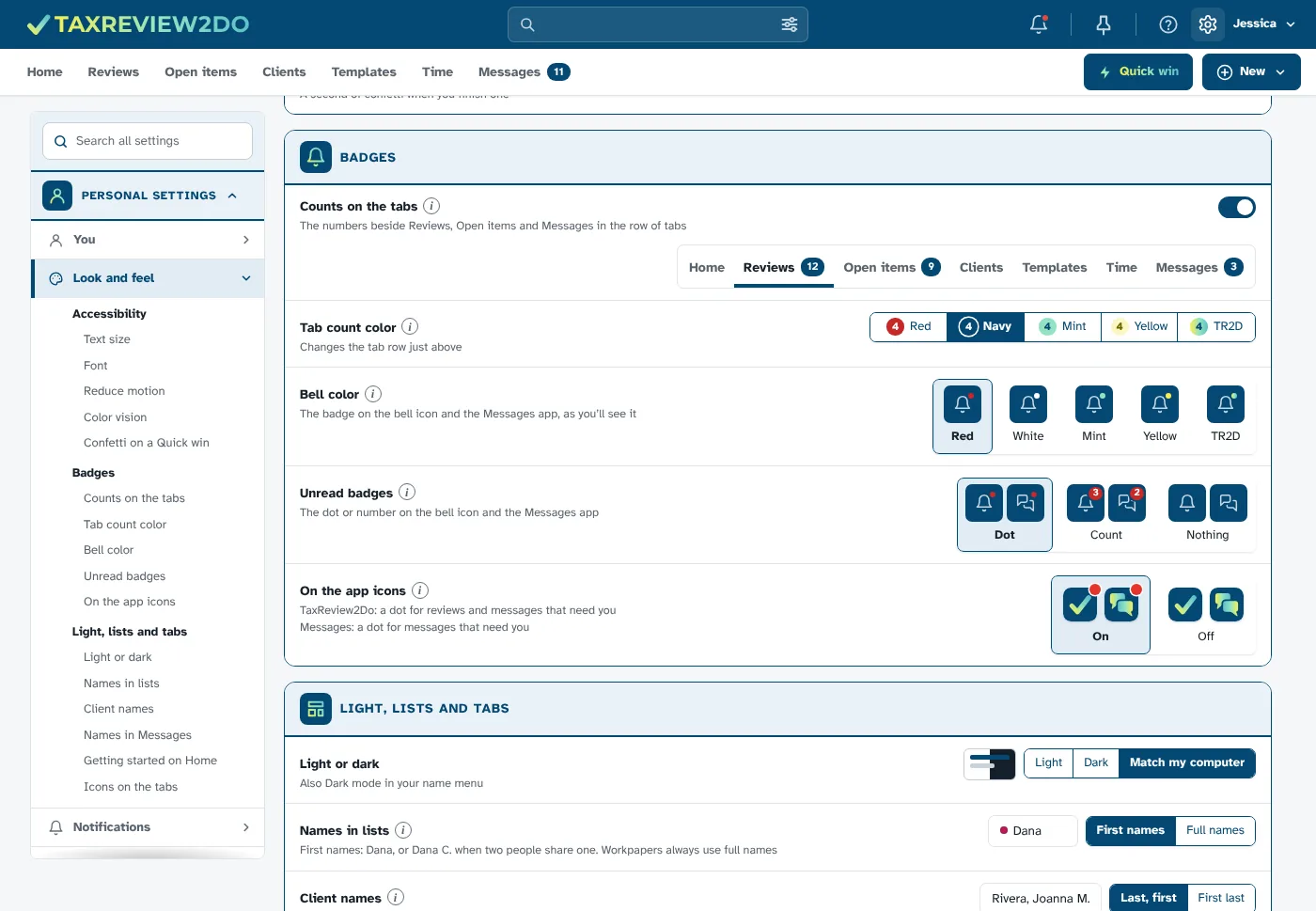
Everyone makes the app easy on their own eyes, without changing it for anyone else.
- Light or dark, text size, and a dyslexia-friendly font
- Red-green safe colors and reduced motion
- Badges or no badges, in the colors you pick
- Your own color, quiet hours, and keyboard shortcuts
You guard your clients’ data. So do we.
Only your firm can see your firm’s data, and the settings that lock it down are yours to choose.
Help that never puts you on hold.
A real help library, not a manual. One task per article, a picture of the exact screen, and a learning path for every role.
Every change, written down.
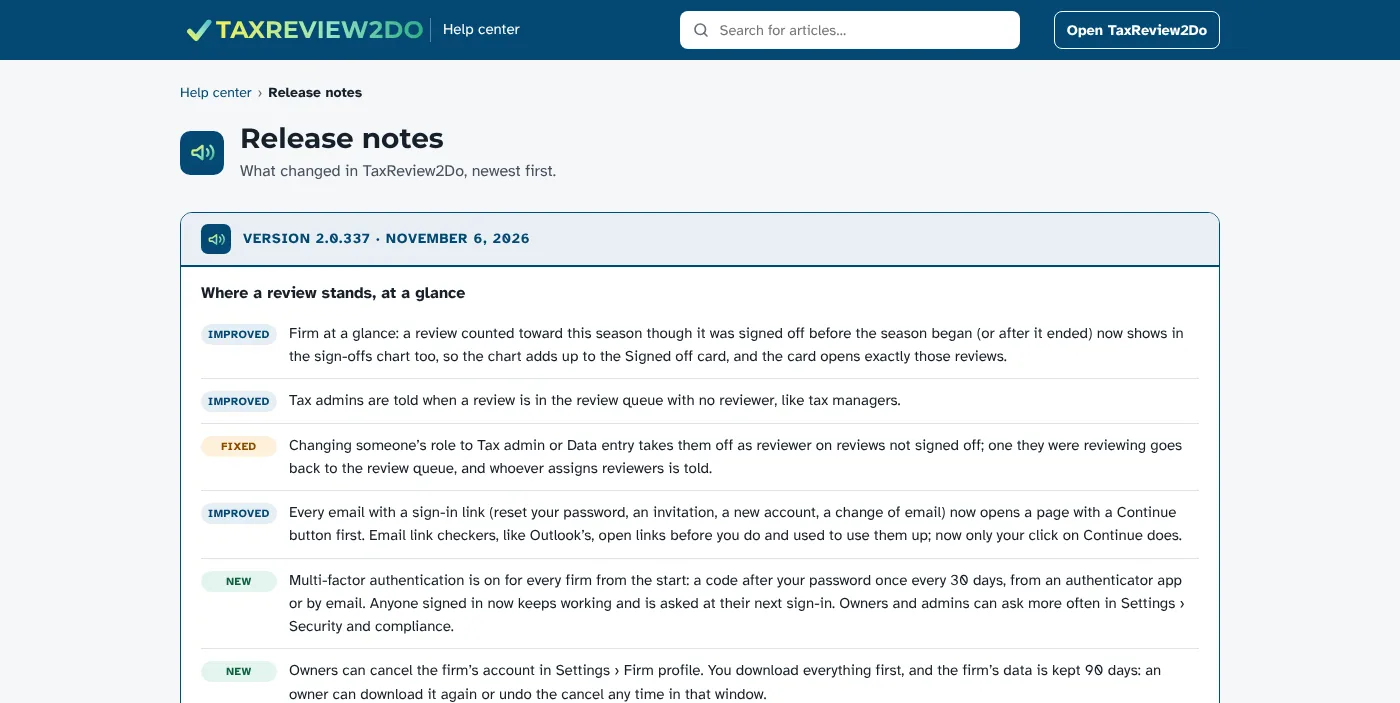
Every change is written up in plain words and tagged New, Improved, or Fixed. Find them under Release notes in your name menu or in the help center.
Read the release notesPicture April 16.
With TaxReview2Do
- Returns out before the penalty window
- Reviews that don’t depend on one person
- A workpaper with every answer and the reasoning behind it
- A team that knows whose turn it is
- Your evenings back
Without it
- Late nights hunting for status
- Penalties and amended returns
- The same mistakes, every season
- You as the bottleneck
- Extensions filed in a panic
$500 a person, a year.
Less as your team grows.
Or $55 a month for seasonal staff.
Unlimited reviews. Every feature. Free for 7 days.
What will it cost my firm?
Pay annually
Pay monthly
11 or more people?
Let’s set your price together.
Every feature, unlimited reviews, every role counts as a person.
Straightforward pricing that works the way your firm works.
Every plan: unlimited reviews and clients, every feature.
11 or more? Let’s talk
Who counts as a person?
Everyone who signs in, whatever their role: owners, preparers, reviewers, admins and data entry. People you make inactive don’t count, so when someone leaves, the new hire takes their seat.
Can I add people during the year?
Yes, any time. A year-round person is charged for the rest of your year. A seasonal person is $55 a month from the day you add them.
What if I need fewer people?
Make them inactive. Annual seats aren’t refunded, and your price drops at renewal.
Do you give refunds?
No. Try it free for 7 days first; you won’t be charged if you cancel before the trial ends.
Is there sales tax?
Where your state requires it. It’s added at checkout from your billing address.
I’m on TaxReview2Do v1. What do I pay?
Watch your email for your own code: v2 at your v1 price for 2027.
On sale Black Friday, 11/27/26. Prices in US dollars. A card starts the trial; we email you 2 days and 1 day before it ends.
Be first in line on Black Friday.
TaxReview2Do goes on sale Black Friday, 11/27/26. Join the waitlist and you’ll hear first, with a Black Friday code.
- First word when sales open
- A Black Friday code, just for the waitlist
- Its own app on Mac and Windows, or right in your browser